
For adults who already read Arabic
Find your rhythmin Quran reading.
Practise recognising words and following passages at your own pace. Then return to your Mushaf.
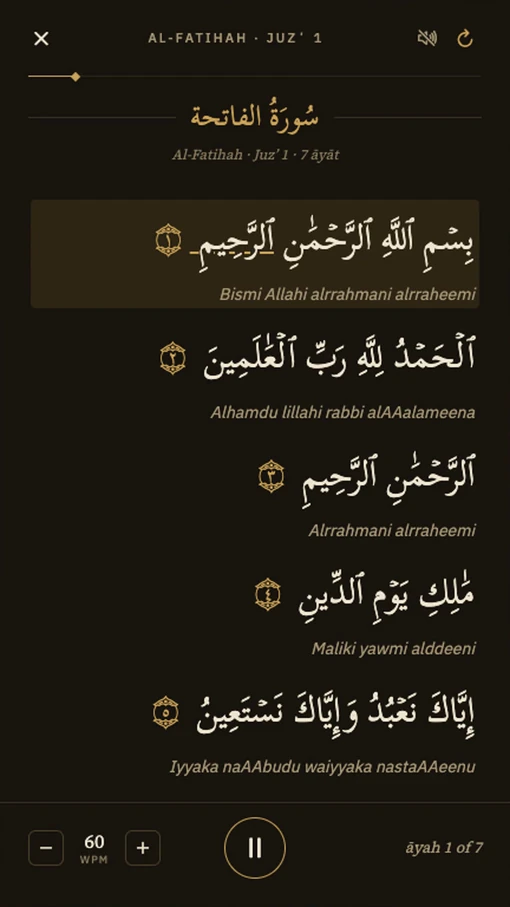
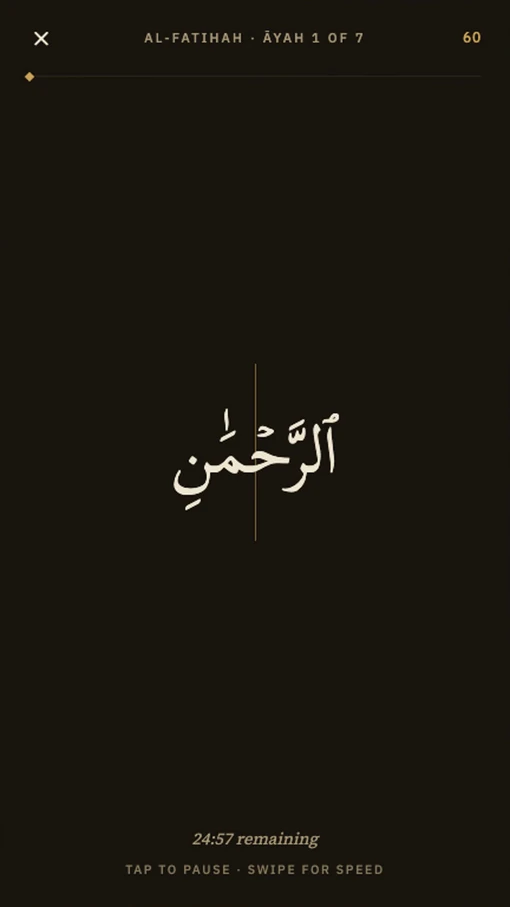
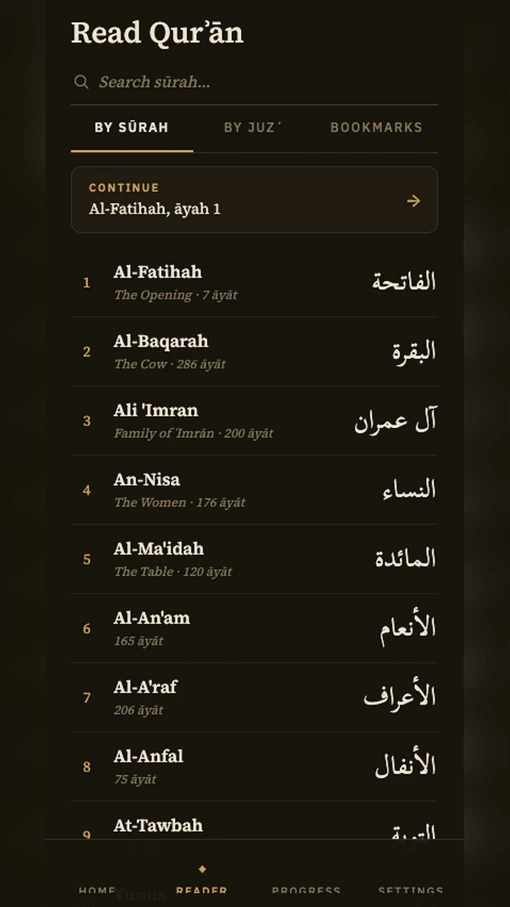
Currently free on iPhone. Available on the App Store
No account. No ads. Your practice, on your device
English & French. Quran text in Arabic
On Android? Request test access
Familiar words.
A more focused practice.
Mushaf Ready is a reading gym for Quranic Arabic. Choose a way to practise, from one word to a whole passage.
One word.
Your full attention.
Practise recognising whole-word shapes, without the rest of the page competing for your attention.
Set a comfortable pace and the vowel marks you need. Slow down or speed up whenever you like.
Word Recognition · 40 to 300 words a minute · Four tashkeel levels
Stay with
the passage.
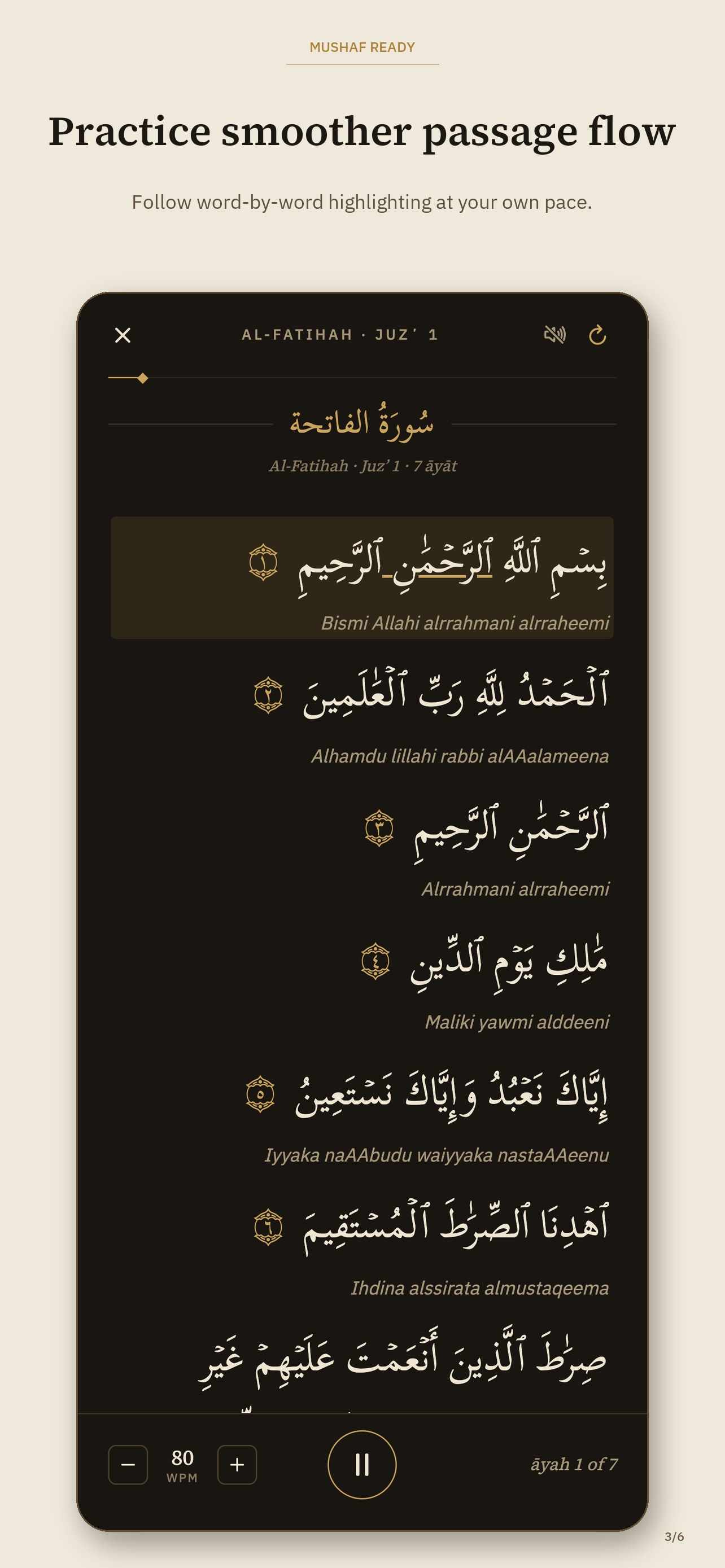
See whole āyāt while a visual pacer highlights each word in turn. Follow the line at the speed you choose.
An optional listen-along recitation is available, experimental and with approximate timing. The visual pacer controls the word highlighting.
Guided Reading · Same passages · Same tashkeel choices
See the public App Store screenshots
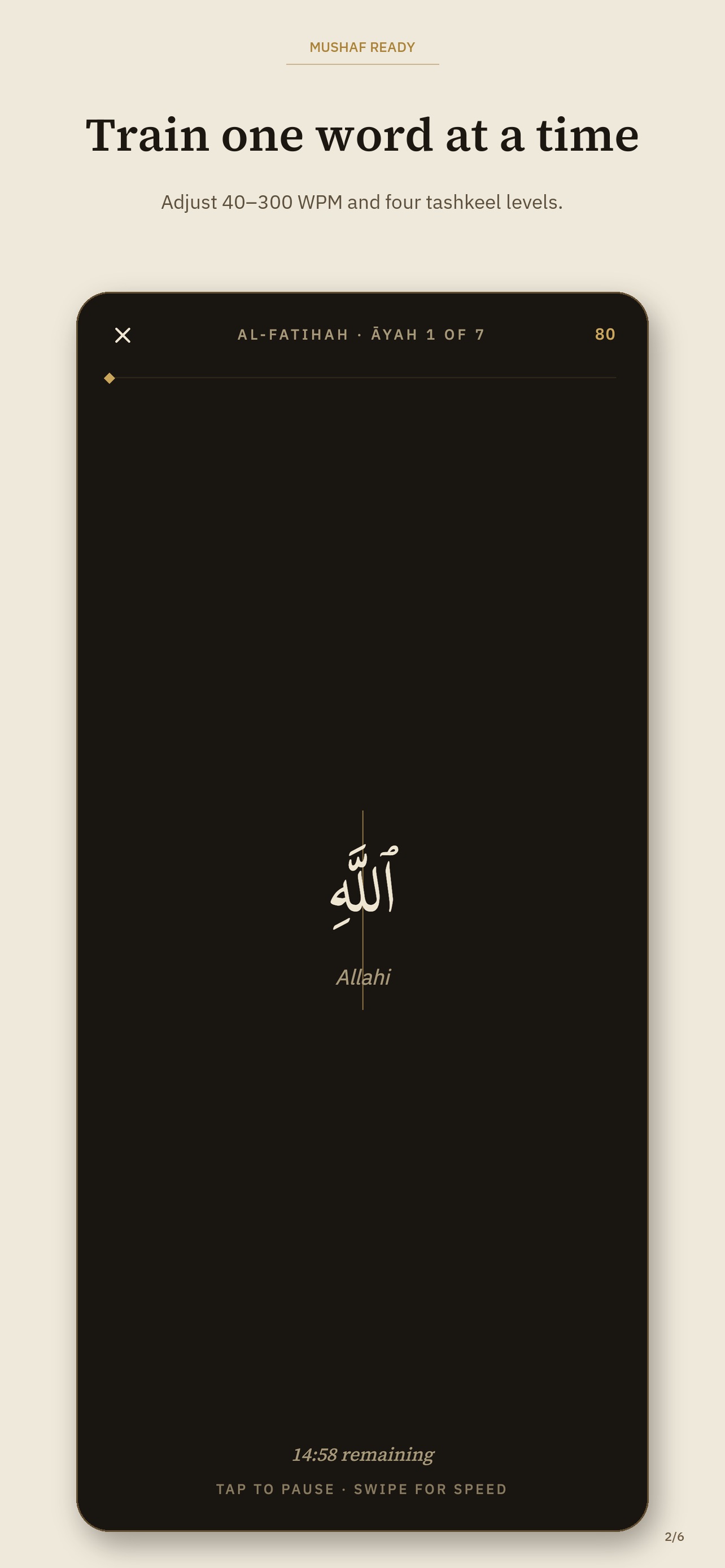
22 seconds. Sound on when you press Play.
See your next session.
See word practice, Guided Reading, and the Quran reader in action. Press Play to watch with narration.
Read the 22-second demo transcript
Still pausing at familiar Quran words? Practise one word at a time. Follow a highlighted passage at your own pace. Then return to the full Quran reader. Mushaf Ready. Available on the App Store.
A small session.
Room in your day.
Start with five minutes. Choose a passage you know, adjust your practice, and give the words your attention.


-
Choose your passage
Start by surah, by juzʼ, from a bookmark, or continue where you left off. All 114 surahs are included.
-
Choose your vowel marks
Four tashkeel settings: Fully Guided, Mushkal, Shadda, or Rasm. Use the amount of support that suits you.
-
Find a comfortable pace
Practise one word at a time or follow a passage. Adjust from roughly 40 to 300 words a minute.
-
Keep a record of practice
See your sessions, minutes, streak, and Quran coverage. Progress stays on your device.

Practice ends.
Reading continues.
Open the full Quran reader between sessions. All 114 surahs are there whenever you want to read a whole passage.
- English or French translation
- Transliteration when you need it
- Bookmarks to return to your place
The reading itself is never gated.
Explore availabilityBring the practice
back to your Mushaf.
Use a short session as a warm-up for your reading. This is visual practice: it does not assess pronunciation or tajweed, or replace a teacher's guidance.
On your iPhone.
On your terms.
Download the current iPhone app from the App Store. No account is needed.
- Your training stays on this device. No cross-device sync and no backup.
- No ads, and no tracking of your reading across devices.
- The optional audio streams from EveryAyah.com. That request carries ordinary network information.
Use Android?
Help shape the release.
Android is in a closed beta, with access by email list. Send us the Google account address you use in the Play Store to request access.
Request Android test accessHow the Android test works
We use your email address to arrange your test access. After we confirm your address has been added, open the Google Play test invitation with that same account, choose Become a tester, and install. The invitation does not grant access before your address is added.
We are looking for volunteers to stay opted in for 14 consecutive days and try short sessions during that time. Participation is optional; you can stop at any time. No rating or review is required.
A few things
you might wonder.
Who is Mushaf Ready for?
Adults who can already read Arabic and want extra practice with Quranic words and passages. It is not an alphabet course or a pronunciation assessment. A full Quran reader is included and never gated.
How does this fit with my Quran reading?
Use a short practice session as a warm-up, then return to your Mushaf. The included reader is available whenever you want to read a full passage. Practice does not assess pronunciation or tajweed and does not replace a teacher.
Do I need an account? Does my progress sync?
No account, and no sync. Your training stays on this device and isn't backed up. Change phones or reinstall, and you start fresh.
What languages does it support?
The interface is English and French. The Quran itself is shown in Arabic, with English or French translation and transliteration available.
Is the recitation audio synced to each word?
No. The listen-along audio is an optional, experimental aid with approximate timing. The word-by-word pacing you see comes from the visual pacer, not the audio.
A 36-second introduction
The idea behind the practice.
Watch a short illustrated introduction to word practice, Guided Reading, and the full Quran reader. Explore the real app screens above.
Read the video transcript
Mushaf Ready is a reading gym for Quran fluency. If you can read Arabic, the next step is fluency: seeing words faster and following with more confidence. RSVP Training helps you sharpen visual recognition, one focused word at a time. Guided Reading turns passages into structured practice, so following along feels smoother. Reader Mode stays free, and your practice progress helps you keep momentum. Practice today. Read with more confidence.
Your next five minutes
can start here.
Download on the App Store
Already reading Arabic? Make a little room for practice.